UX Research
ProgressPal
Positive Behavioral Interventions & Supports Platform: Personal Project
Role
Sole UX Researcher & Designer
Duration
4 months
Tools
Figma, Mural, PowerPoint, Teams
Methodology
Competitive Research, User Interviews, Personas, Affinity Mapping, Design System, Wireframes, Prototyping, User Testing
Problem
Current PBIS tools often lack a unified system, leading to inefficiencies in behavior tracking, parental communication, and school-wide reporting. Educators are burdened with excessive paper and pencil work, parents lack transparency into their child's progress, and students are not adequately motivated to engage in positive behavior.
Solution
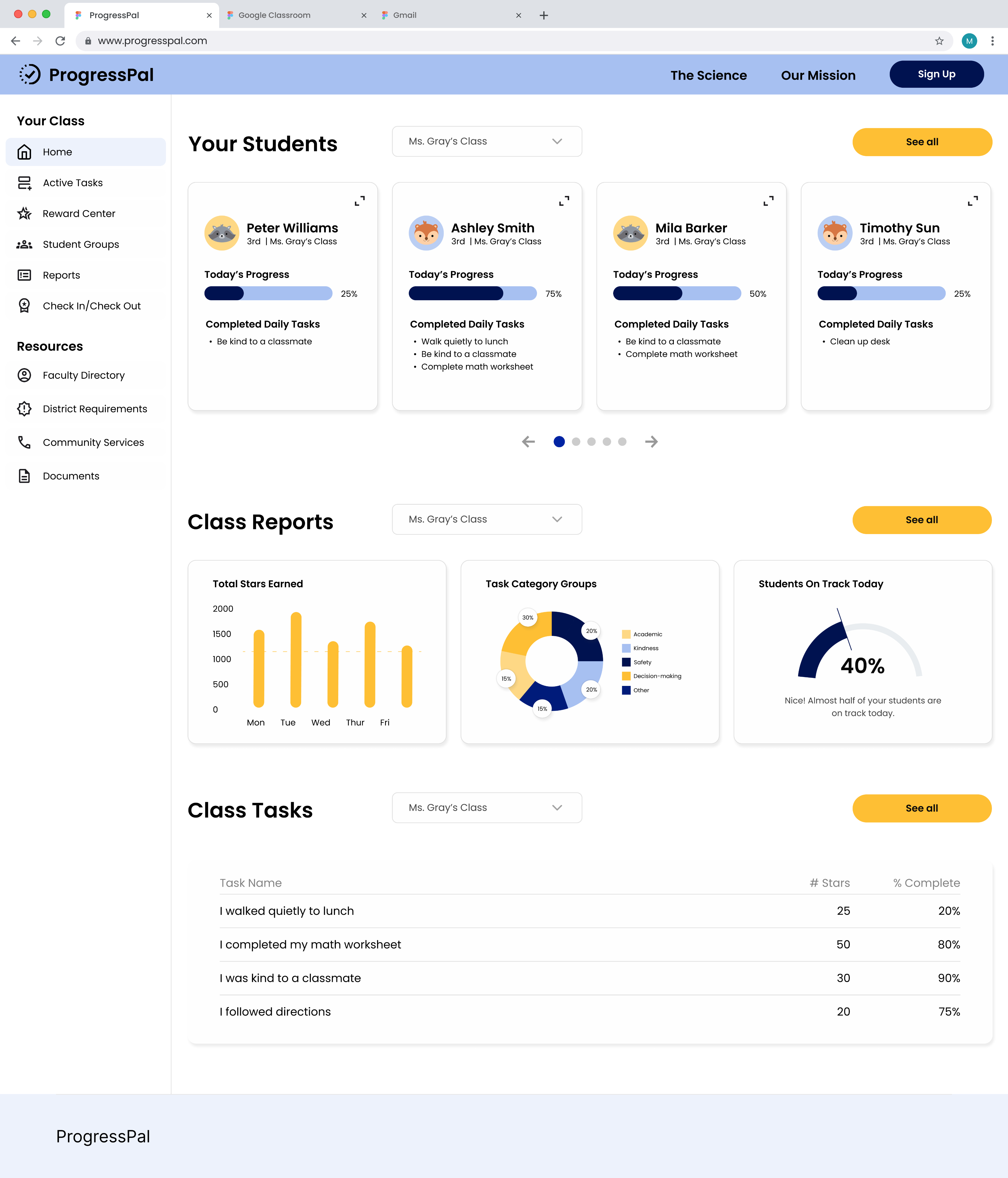
ProgressPal offers an all-in-one platform that streamlines PBIS tracking, parental transparency, school and district reporting, attendance management, and check-in/check-out processes. By consolidating these features into a single, user-friendly tool, ProgressPal reduces administrative workload, enhances communication, and provides students with incentives to improve their behavior.
👀 Take a Peek
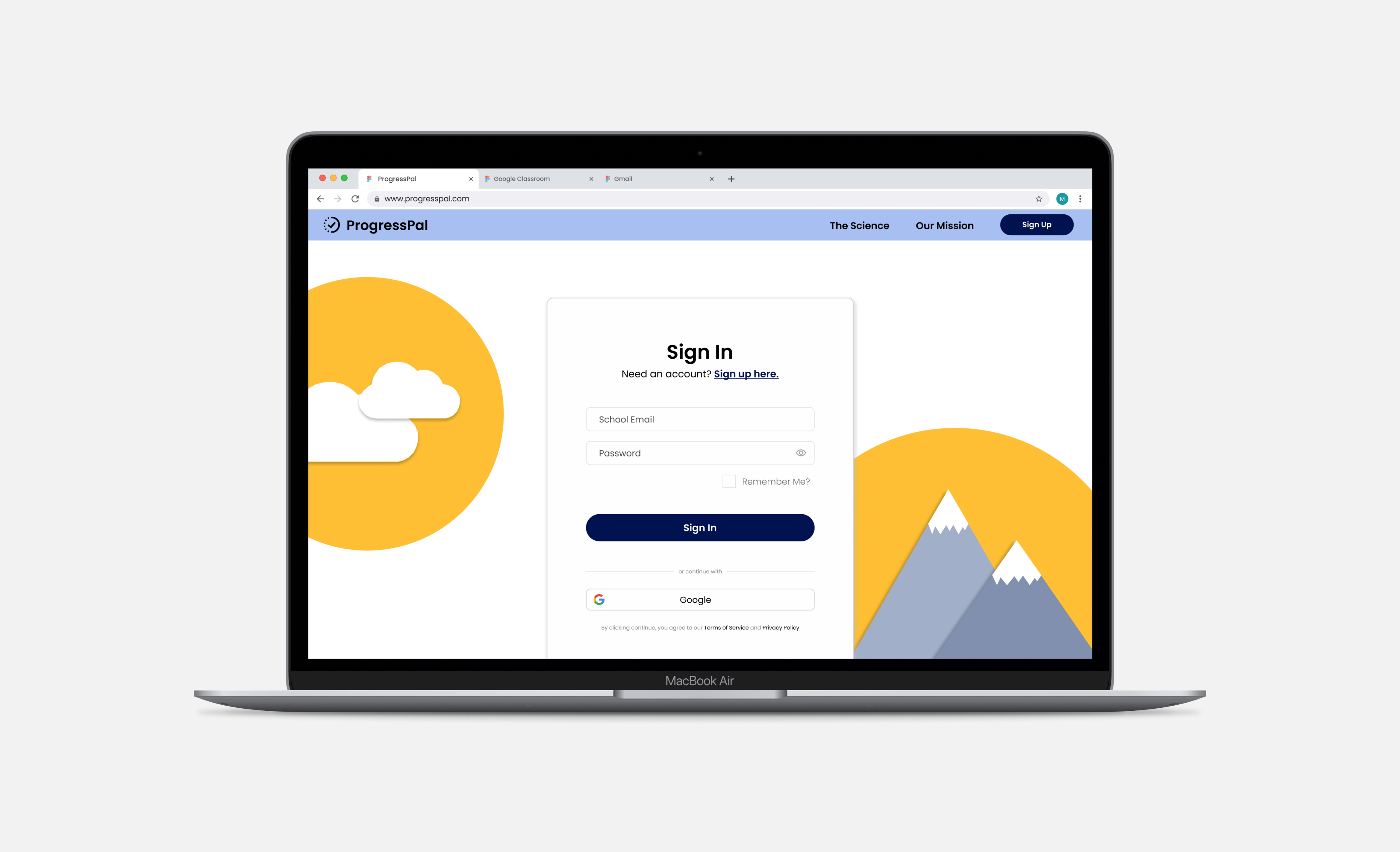
Sign In
Playful, inviting, and simple. Sets the tone with an accessible, low-friction entry.
Next →
← Back
Research
Market Research
What is PBIS?
Positive Behavioral Interventions and Supports (PBIS) is a proactive approach used in schools to improve student behavior and create a positive school environment. The integration of PBIS rewards systems in special education classrooms has shown significant benefits, both qualitatively and quantitatively.
Click here to view full write up.
Does it work?
Studies have shown that schools using PBIS systems have seen:
- 32% reduction in discipline referrals to administration for special educations students over 2 years
- 20% increase in on-task behavior
- 25% improvement in peer interactions and social competence
- 78% of teachers in special education settings felt less stress and more satisfaction with their teaching environment
User Interviews
To design a tool that truly meets the needs of its users, I began the research process with in-depth user interviews, focusing on understanding the challenges and pain points experienced by key stakeholders in the educational environment. I interviewed a local teacher, a local administrator, a parent, and a student. These interviews provided firsthand insights into how existing systems were falling short and highlighted the specific needs that ProgressPal could address.
Click here to view interview guides.
Key Insights:
- Teachers: Struggled with excessive paper/pencil tracking and wanted a streamlined system to reduce their workload.
- Administrators: Needed a unified reporting system to track school-wide behavior and attendance data efficiently.
- Parents: Desired greater transparency and real-time updates on their child's progress to stay engaged and supportive.
- Students: Lacked motivation due to unengaging PBIS incentives and wanted clearer, more rewarding recognition for positive behavior.
Affinity Map
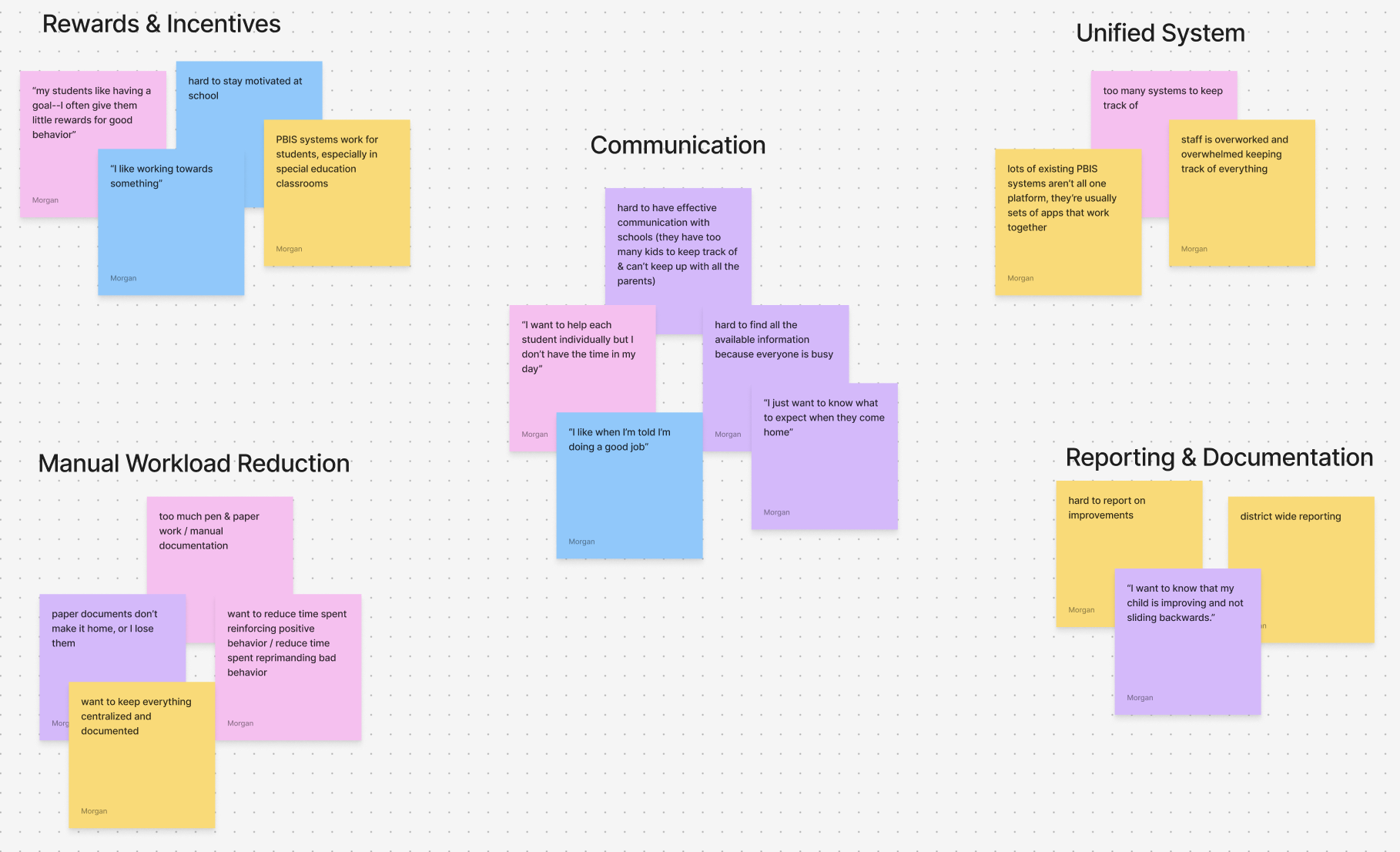
After conducting user interviews, I used affinity mapping to synthesize the insights gathered. This method allowed me to organize the feedback, identify recurring themes, and prioritize features that users needed most.
The process involved clustering related ideas and observations, which helped me visualize common pain points and opportunities across all user types. Key themes that emerged included the need for a unified system, real-time progress tracking, streamlined communication, and engaging student incentives. Affinity mapping provided a clear direction for the design of ProgressPal, ensuring that the tool directly addresses the most pressing challenges identified in the research.
Click here to see the file.
Personas
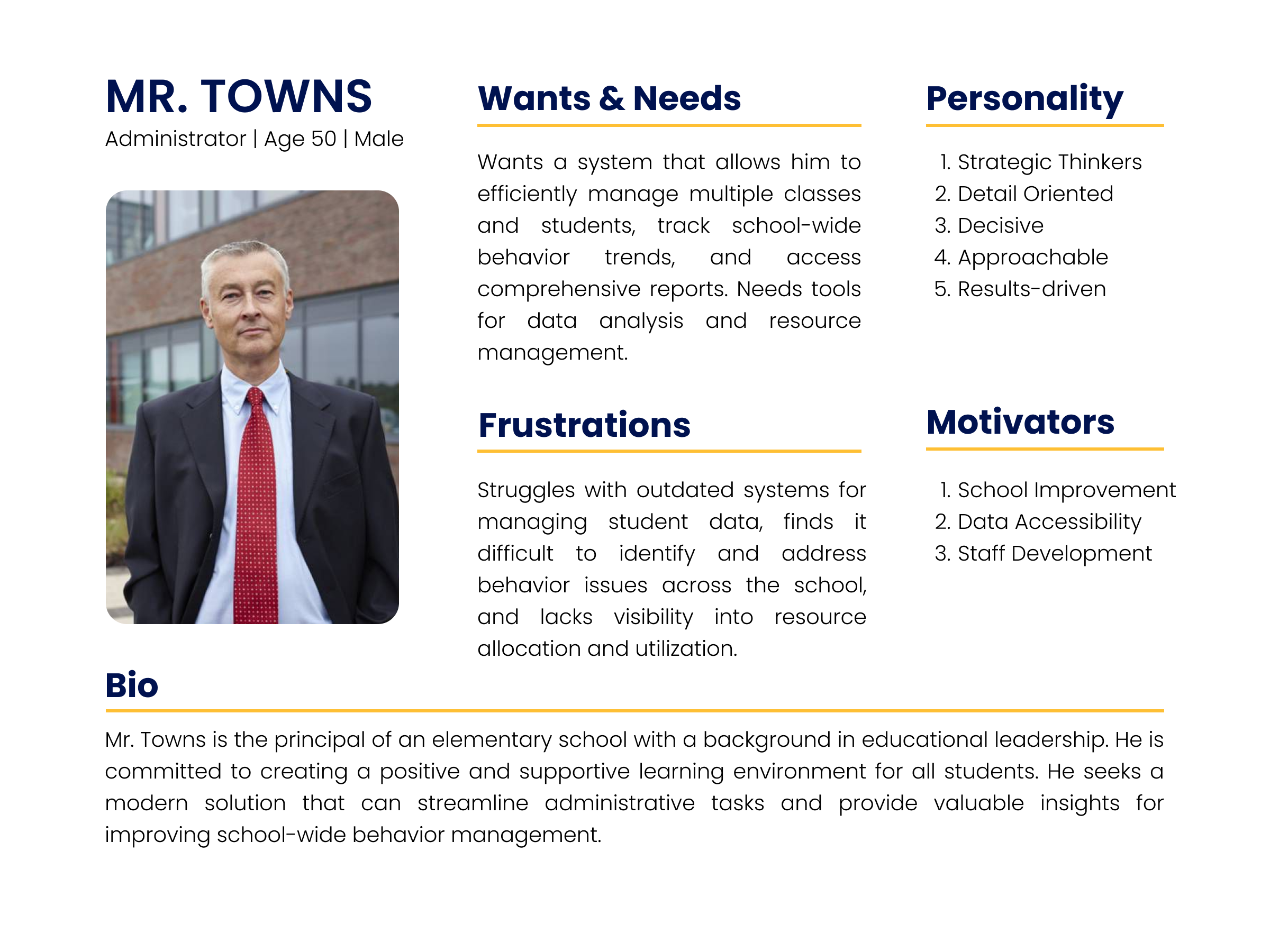
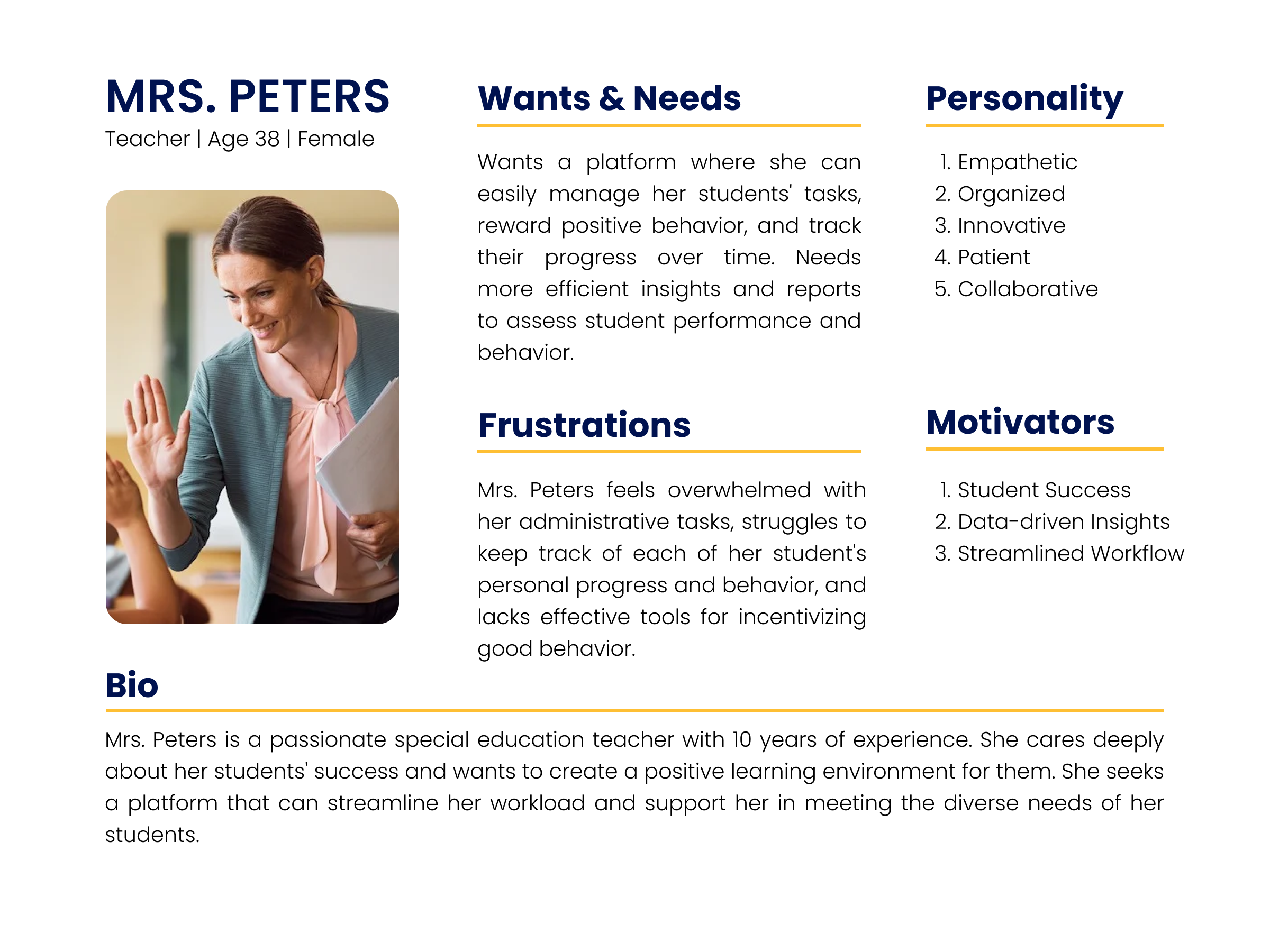
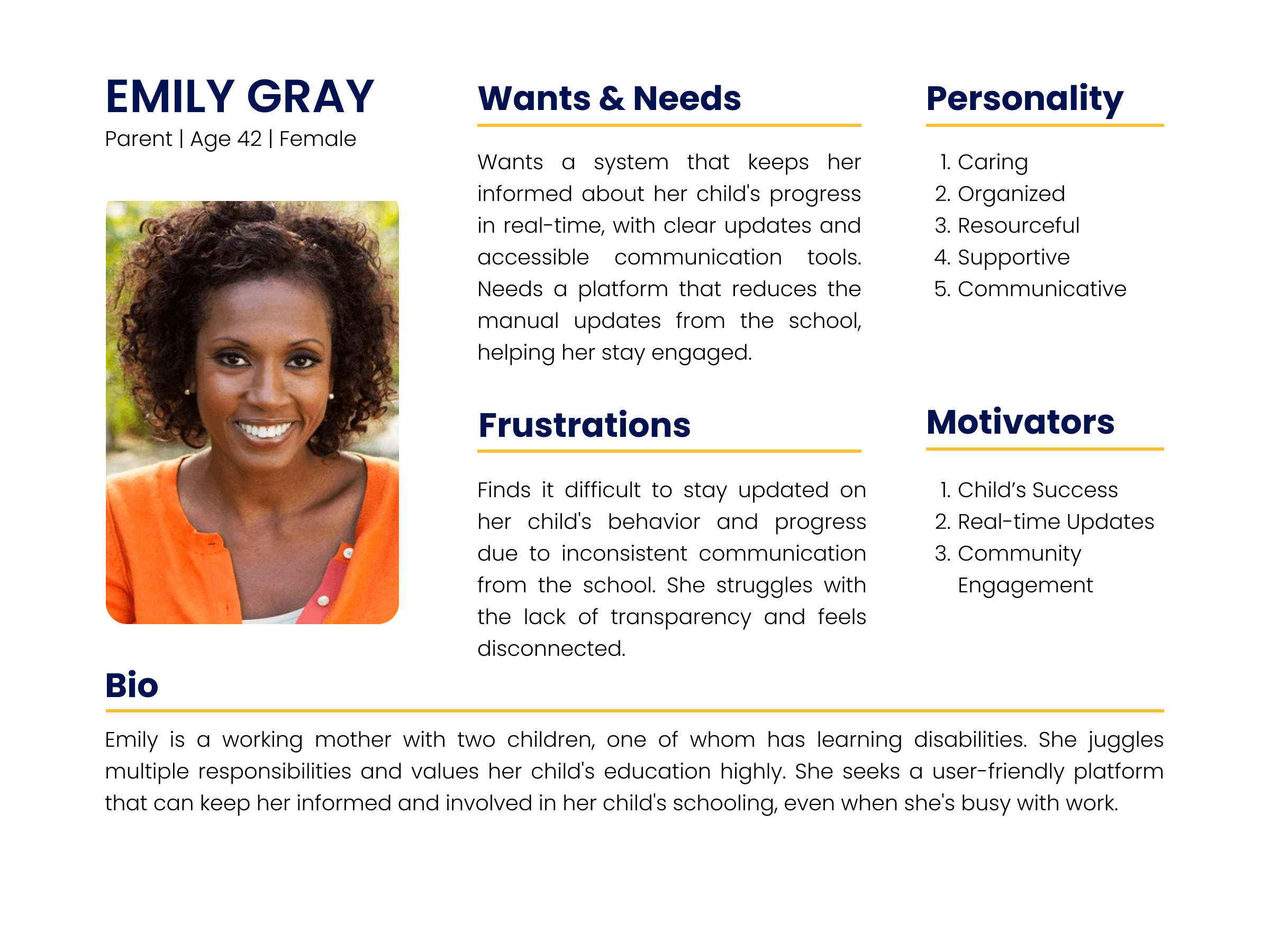
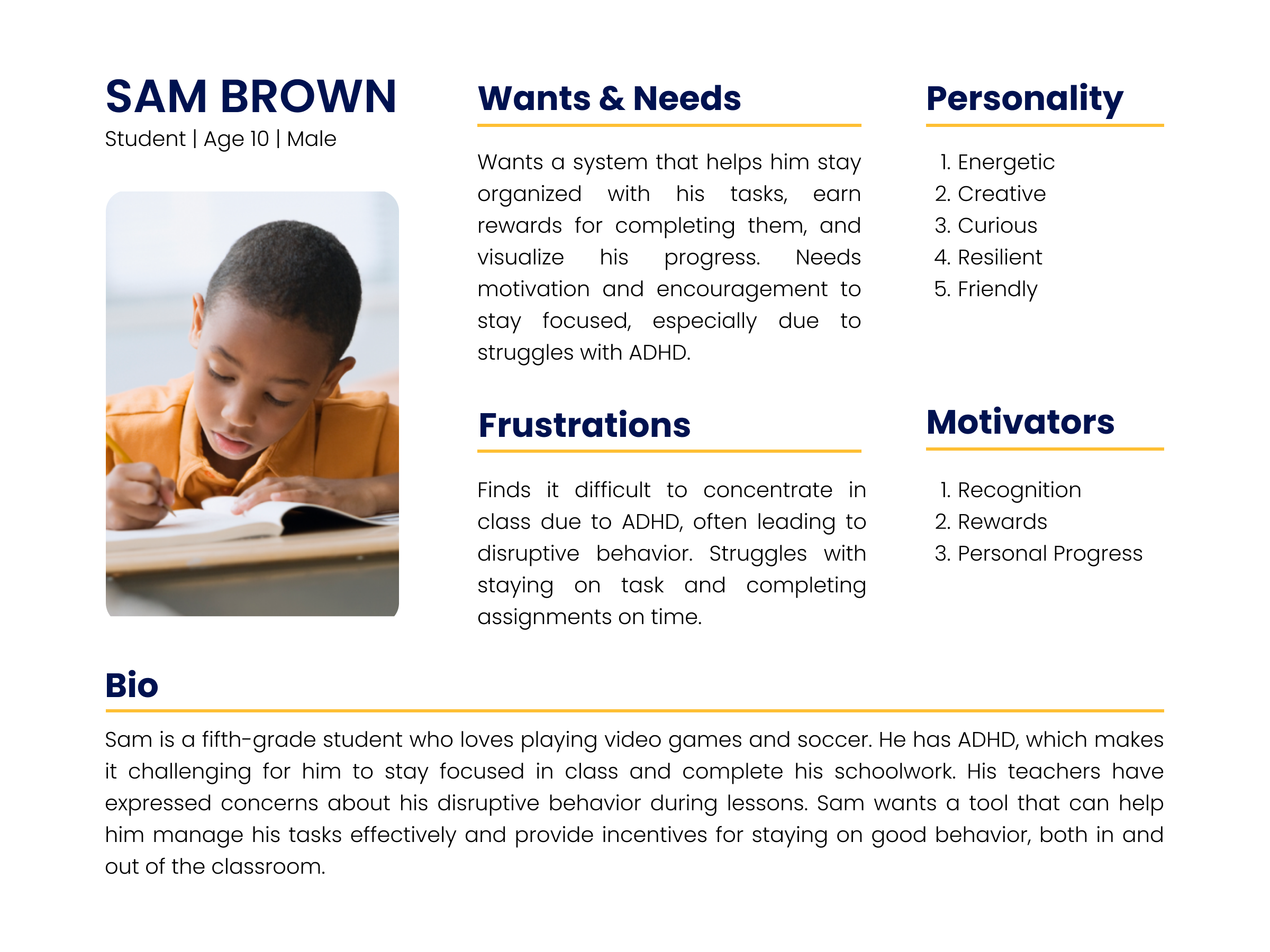
Based on insights from user interviews and affinity mapping, I developed four key personas: teacher, parent, student, and administrator. These personas capture the needs, goals, and frustrations of each user type, serving as a guide throughout the design process.
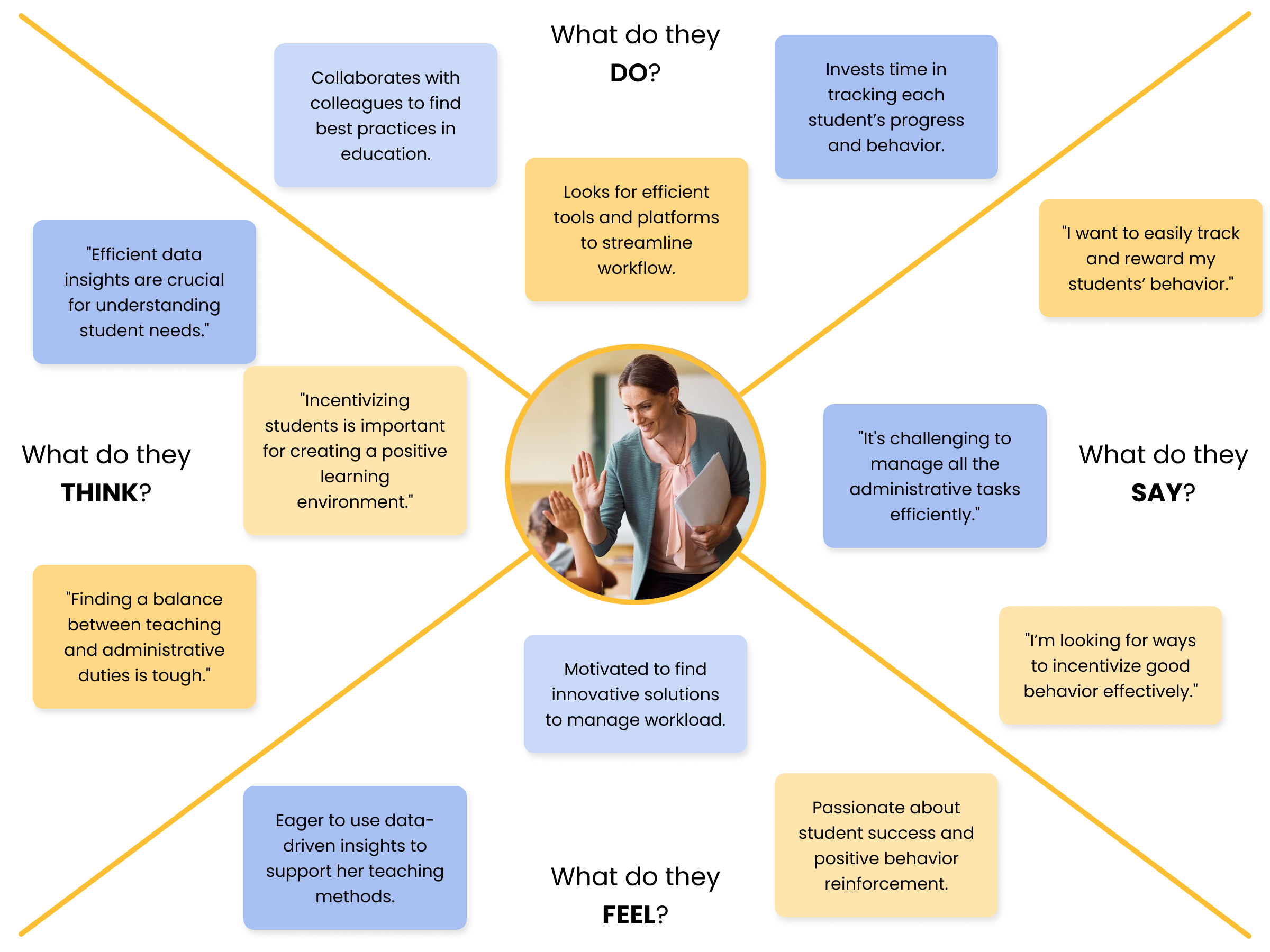
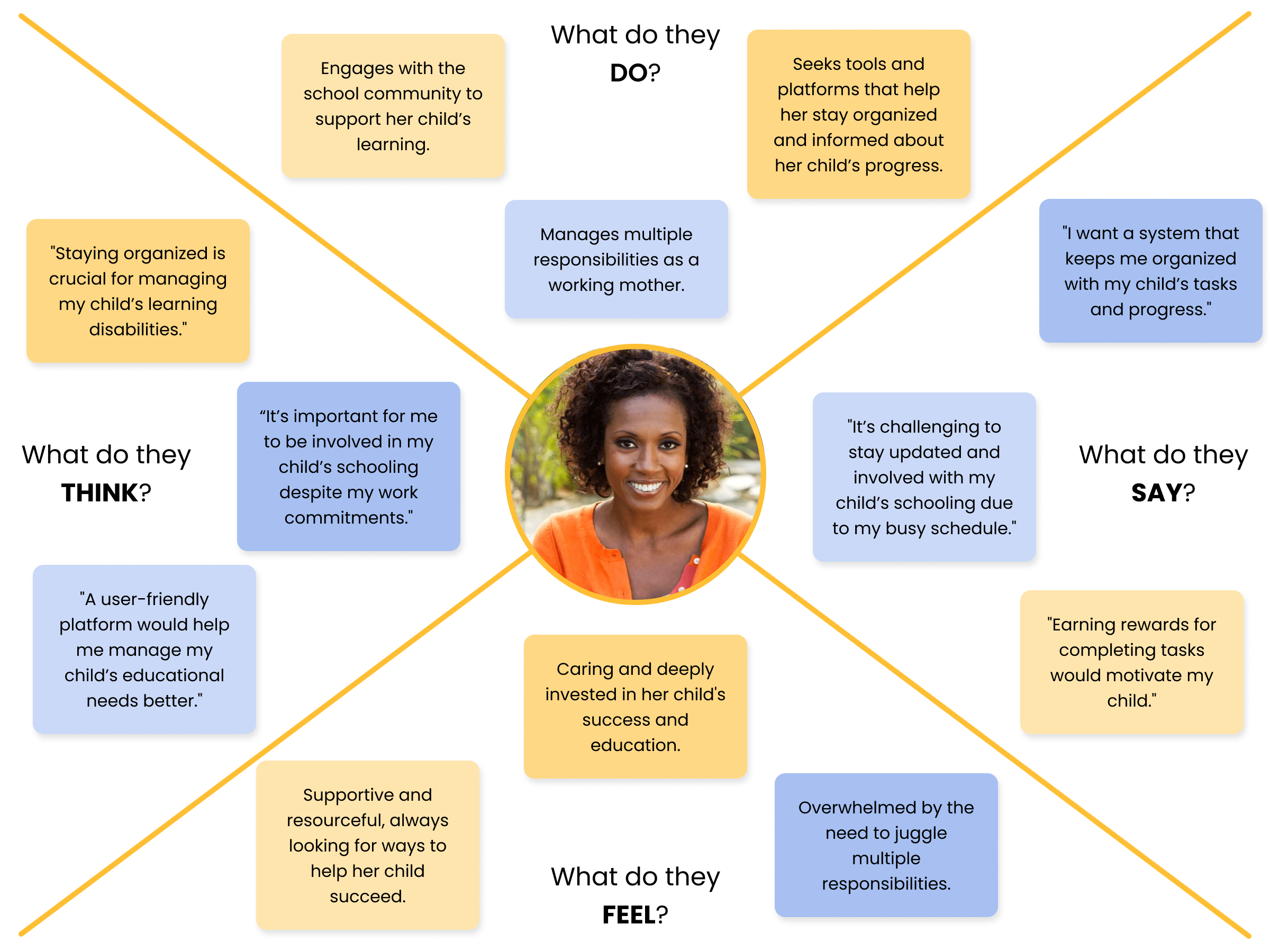
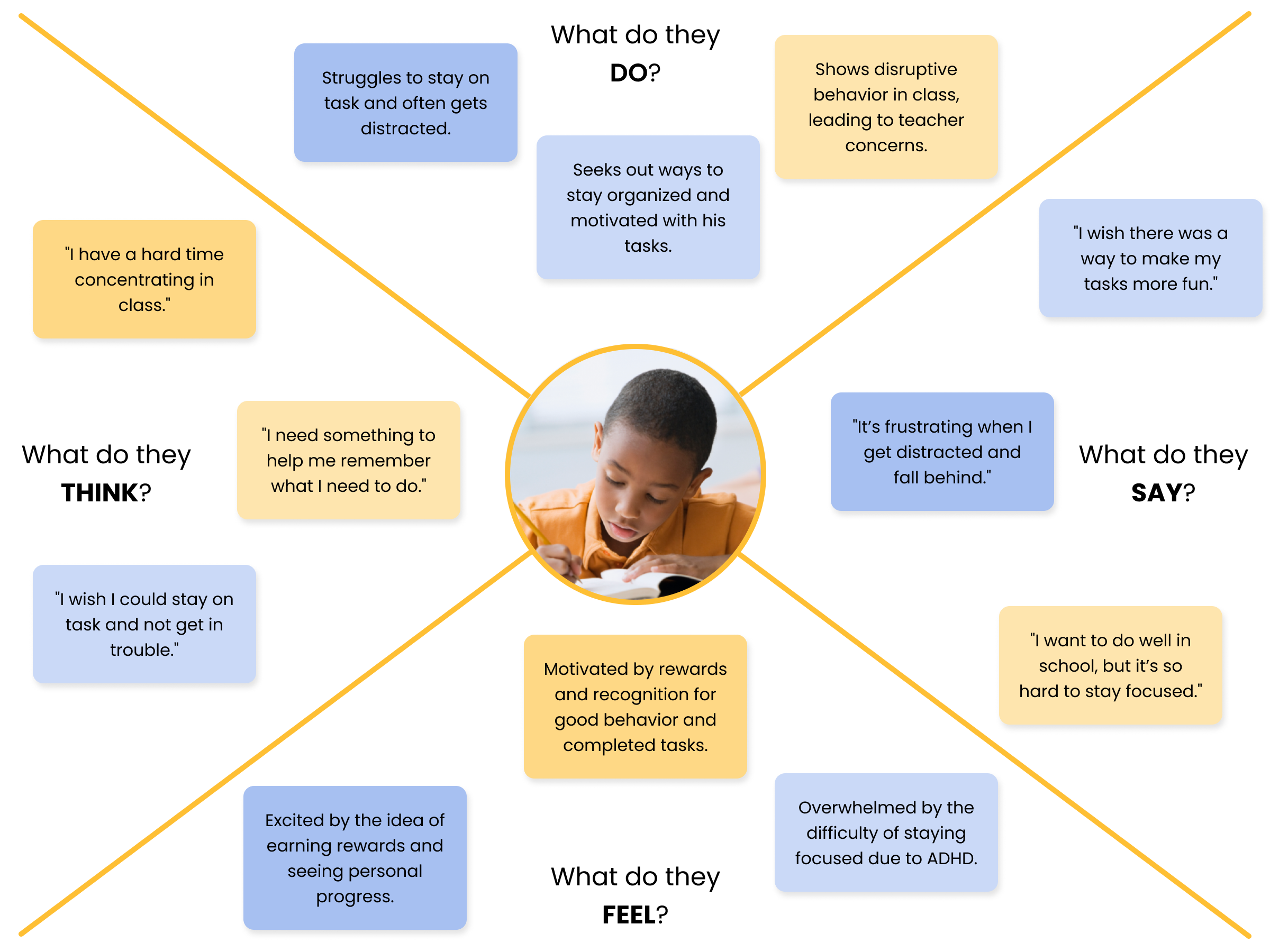
Empathy Maps
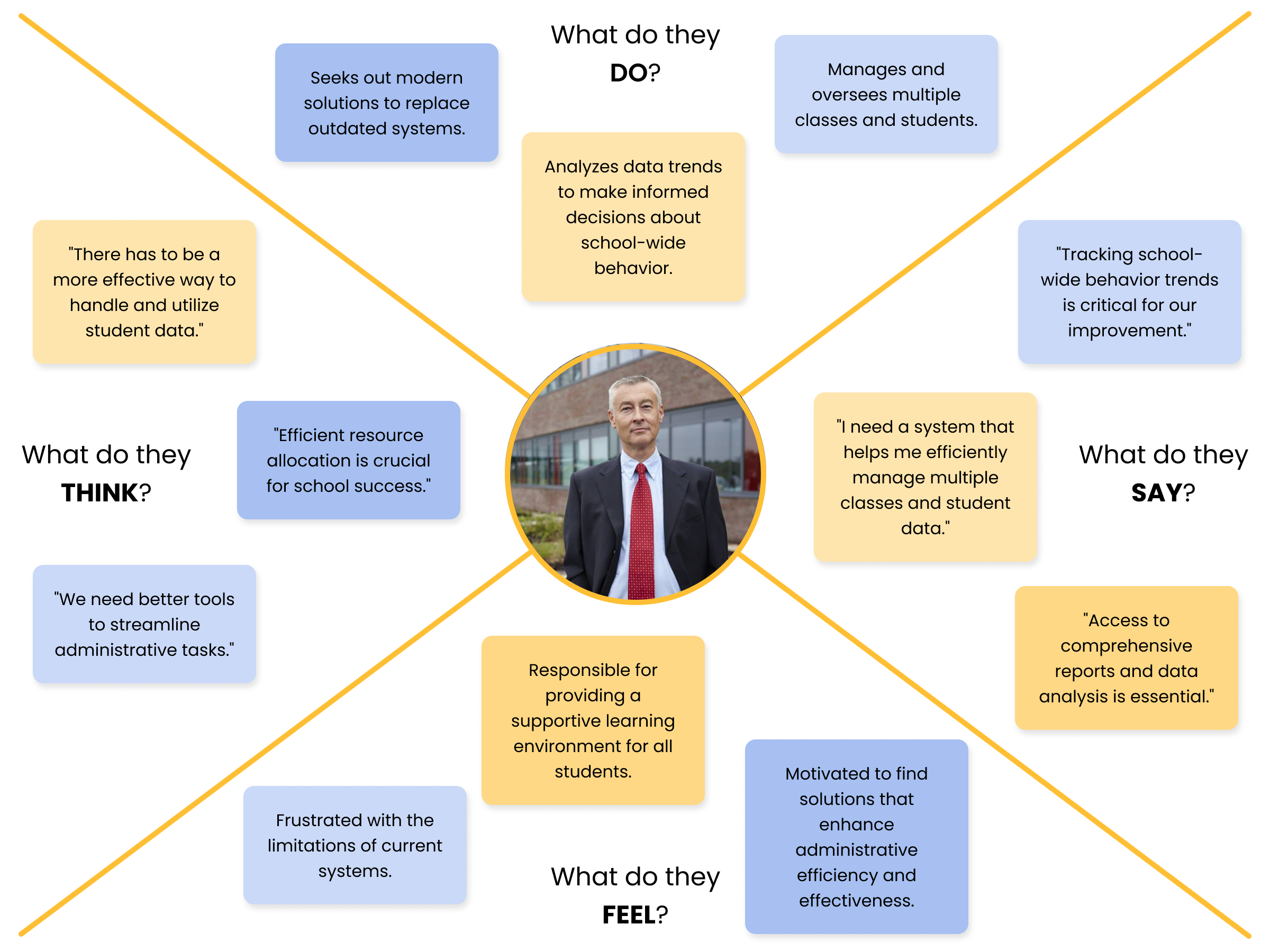
Finally, to further understand each persona, I created empathy maps outlining what each user type would say, do, think, and feel. This approach ensured that ProgressPal was designed with empathy, addressing the specific challenges of each stakeholder and enhancing the overall user experience.
Design
Branding & Identity
Attributes
The key attributes of ProgressPal are clean, playful, reliable, accessible, and empowering, designed to efficiently support and engage users in their educational journey.
Personality
ProgressPal’s brand personality is both supportive and approachable, coming off as a dependable ally in tracking and enhancing student progress.
Visual Identity
ProgressPal’s visual identity is bright, clean, and inviting. With a playful yet professional aesthetic, the brand uses bold typography, soft curves, and a calming color palette to reflect its approachable and supportive nature.
Design System
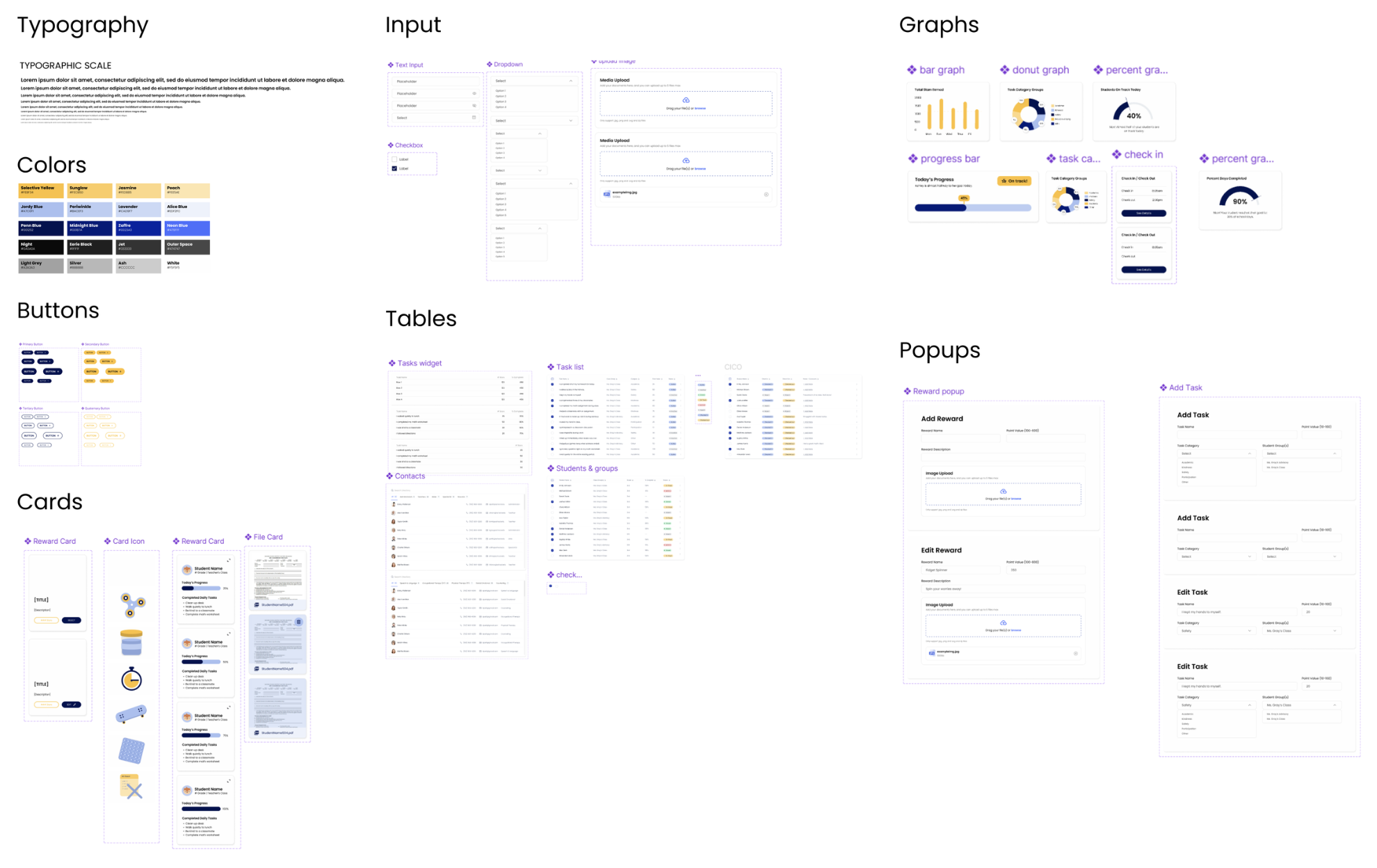
The ProgressPal design system features a cohesive color palette, modern typography, and user-friendly elements like tables, popups, graphs, input fields, and cards. These components work together to ensure accessibility, clarity, and a seamless user experience for tracking student progress. Here, I combined an adapted existing basic design system and custom components to build a comprehensive design system that I could use to design the site’s screens in a cohesive way.
Final Implemented Screens
The final design of ProgressPal is a vibrant, user-friendly platform tailored for elementary school systems. The interface strikes a perfect balance between accessibility and functionality, allowing teachers, parents, and administrators to effortlessly view student progress, manage classroom tasks, and stay in close communication.
Each screen is crafted with thoughtful attention to spacing, clarity, and hierarchy, aimed at minimizing distractions and empowering users to focus on what truly matters: supporting positive student behavior. The mockups below illustrate the final layouts, visual design, and essential features of the platform.
Sign In
Playful, inviting, and simple. Sets the tone with an accessible, low-friction entry.
Next →
← Back
Reflection
A Look Back
Reflecting on the ProgressPal project, I find it particularly rewarding to have worked on a tool that can benefit educators, especially given my parents' background as teachers. The project successfully transformed my initial vision into an ideation of a practical, user-friendly tool, supported by a well-crafted design system that meets the needs of teachers, parents, and students alike.
A Look Forward
Looking ahead, there are promising opportunities to further enhance ProgressPal. Future improvements could include advanced analytics and interactive features to enrich the user experience. Continuous feedback and iteration will be essential to refine the tool and better serve educational needs, ensuring that it remains effective and engaging.